Powerful Utilities for Gravity Forms
Designed for agencies, power users and developers.
Each utility solves a real‑world pain point in Gravity Forms management.
Create Page for Form
Add a Gravity Form to a new WordPress page in one click. The Create Page action in the forms list makes a draft page titled after the form, with the form already on it, and opens it in the editor.
Show Page on Form List
See which pages contain each form directly in the forms list. Click to edit or view the page instantly.
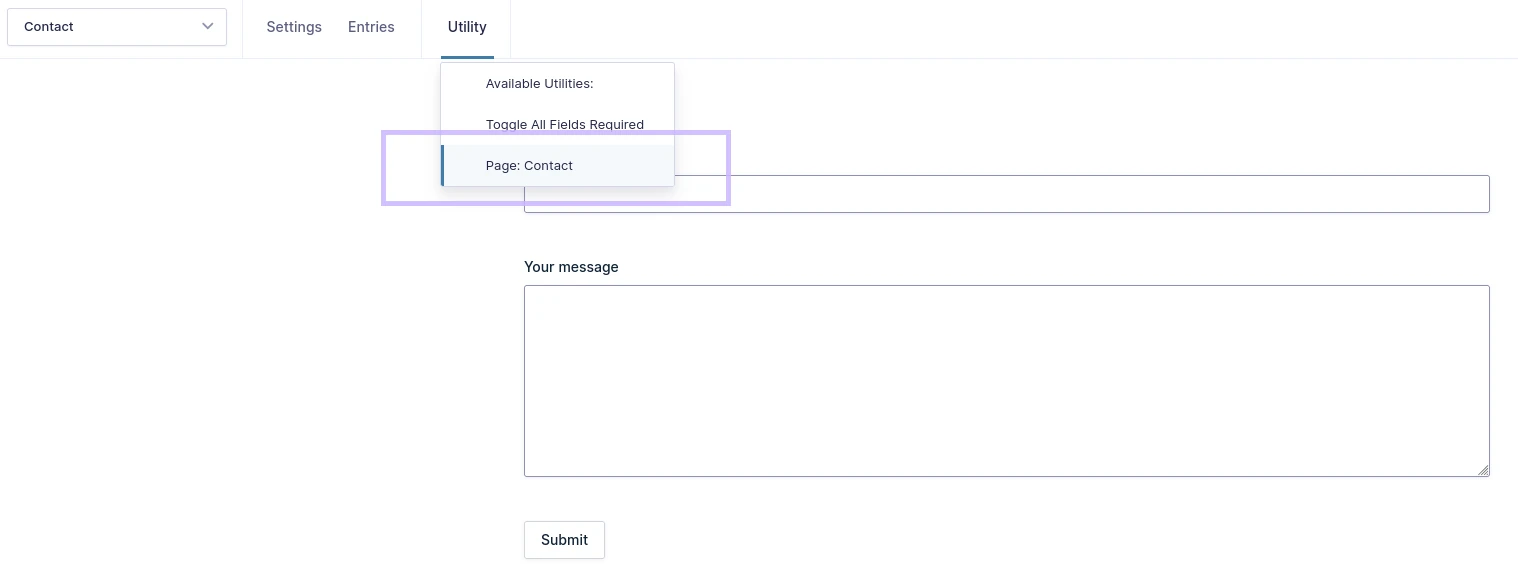
Toggle All Fields Required
With one click, make all fields required or optional. Perfect for testing and rapid form prototyping.
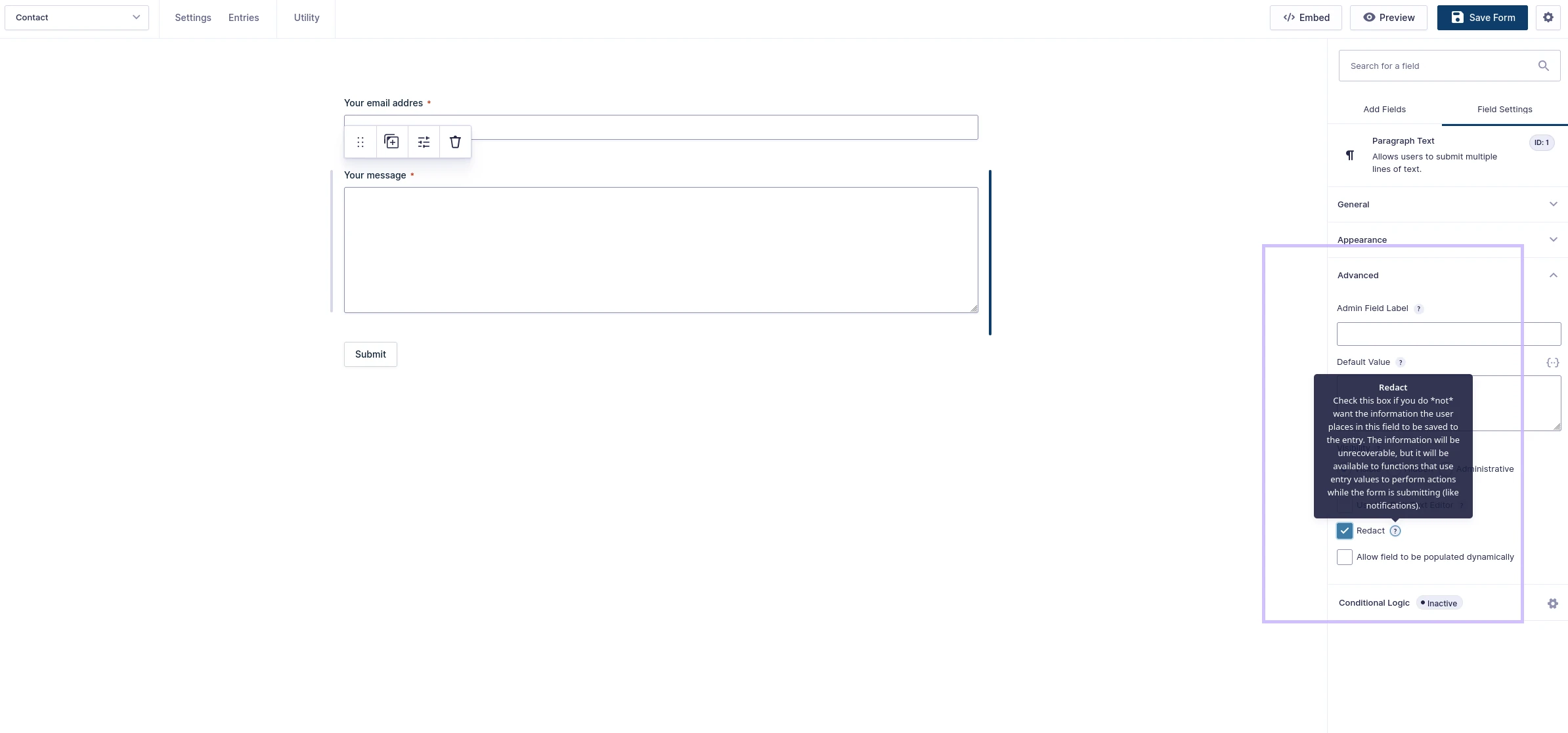
Redact Sensitive Data
Keep sensitive information (like passwords or ID numbers) out of your entries, while it's still available to the notifications of that submission.
Send Notification on Entry Update
Adds an 'Entry is updated' notification event. Get notified when users update their entries.
Manually Process Feeds
Trigger Gravity Forms add‑on feeds (like Mailchimp or a CRM) manually for existing entries. Fix missed connections easily.
Hide Form from User Once Submitted
Hide forms from logged‑in users who have already submitted them, show a custom HTML placeholder instead, and refuse a second submission. Perfect for “one‑time” surveys, applications, or thank‑you messages.
Prevent Entry Creation
Don't keep entries in the database for selected forms: notifications and feeds still run, then the entry is deleted. Useful for test forms, preview modes, or forms that only send notifications.
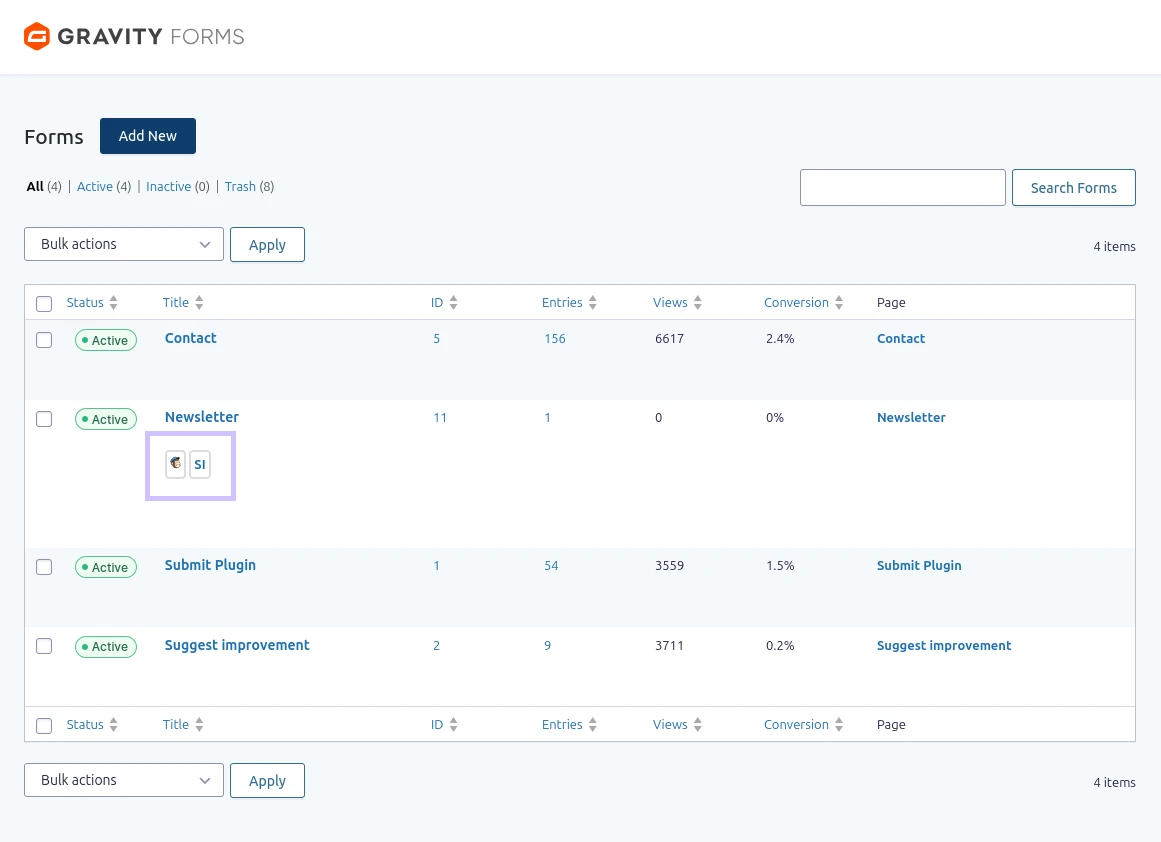
Show Feeds Connected to a Form
See which add‑ons (Mailchimp, GravityView, Gravity PDF, etc.) are connected to each form, right under its title in the forms list. Spot active and inactive feeds at a glance and troubleshoot feed issues.
Process Feed When Entry Updated
Trigger Gravity Forms add‑on feeds when entries are updated, not just on initial submission. Keep your integrations in sync with entry changes and corrections.
Admin Bar "Edit Forms" Menu
On the front end, the WordPress admin bar lists every form on the page, with links to Edit Form, Form Settings and Form Entries.
Record Sent Notifications
Every notification that's sent adds a note to the entry with its name, To, Subject, From and CC.
All 12 utilities, one license
Switch off the ones you don't need
From $29/year · 30‑day money‑back guarantee
See Exactly What You Get
Real screenshots from the WordPress admin — no stock images. Every utility has its own guide section with step-by-step instructions and video tutorials.